A performance hub for competitive table tennis.
Analyze your table tennis videos, see where you win and lose, and keep your coach’s feedback, lesson notes and practice journal in the same place.
Analyze up to three matches for free.
How PongLens works
Read it instead
PongLens helps table tennis players improve their game.
Record your matches, review points, see patterns in your game, and share them with your coach when you want another perspective.
Record your match with the PongLens app, or upload one you already filmed.
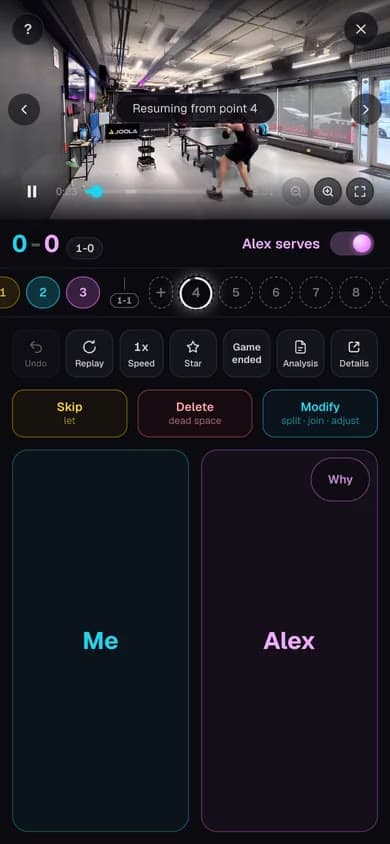
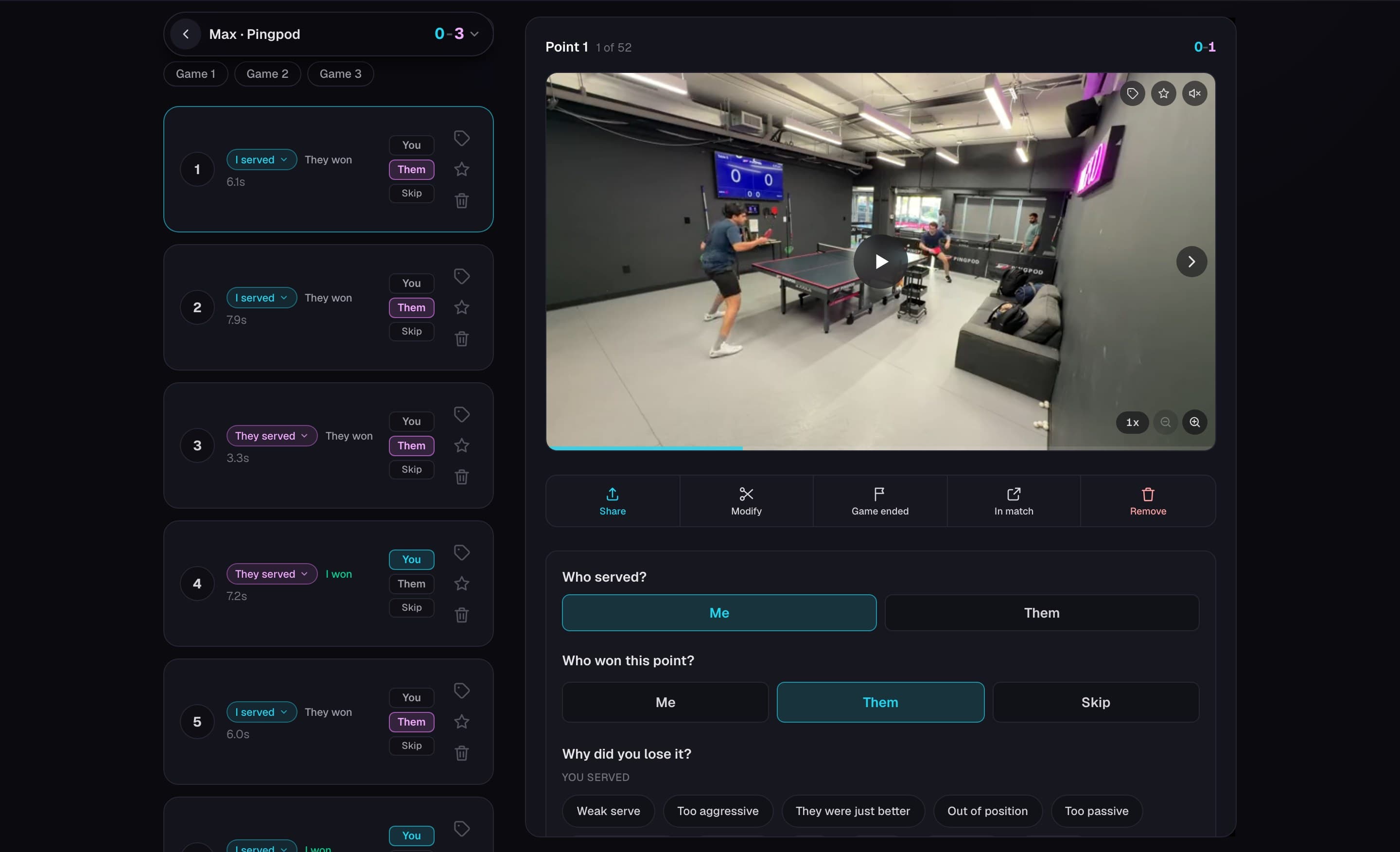
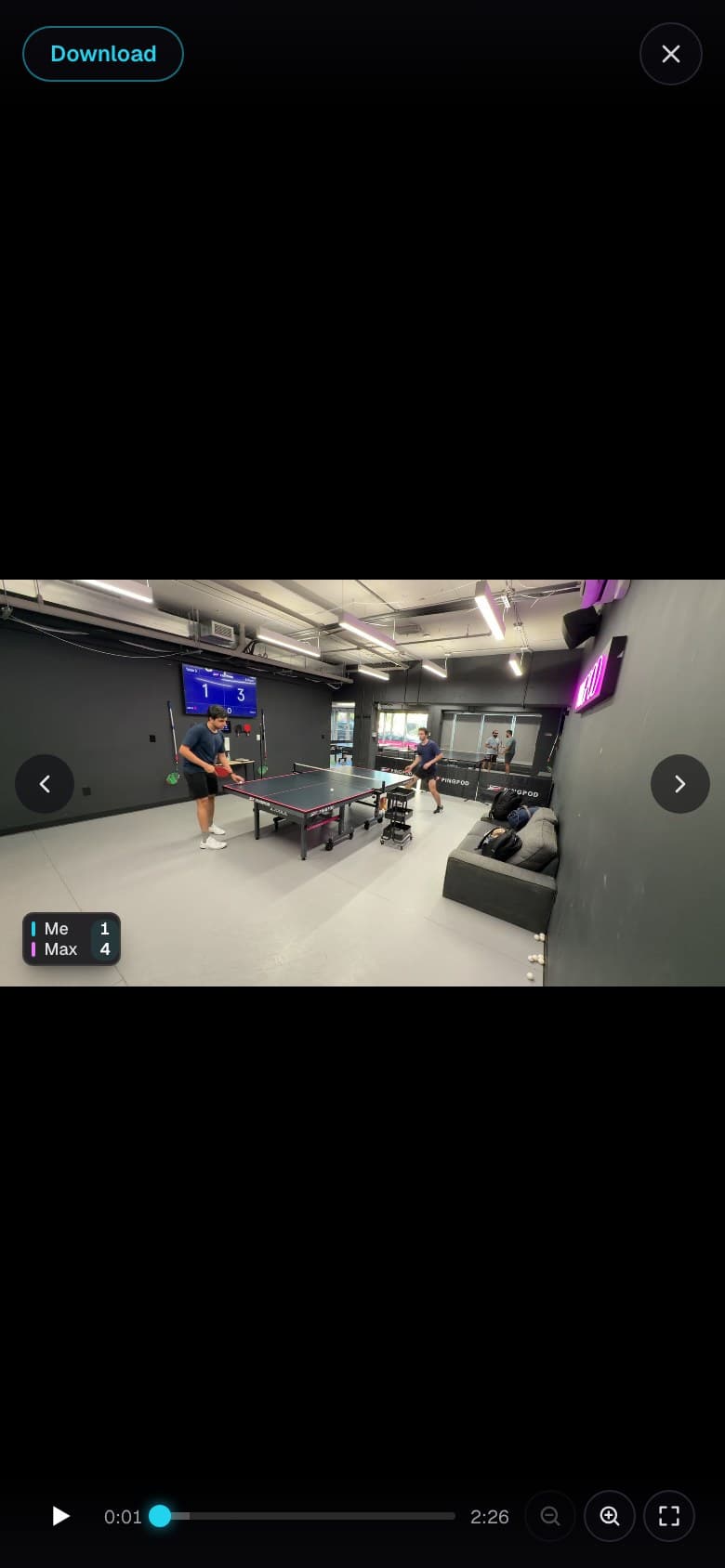
PongLens removes the time between points and breaks the match into individual rallies, so you can review your game without sitting through the entire recording.
Jump straight to any point you want to see again.
Slow it down, speed it up, or zoom in when you want a closer look.
When you notice a mistake or something you want to remember, leave a note directly on that point or draw on the video.
Now you have something you can come back to and work on in your next practice.
You can also score your match as you watch.
Just tap who won each point, and PongLens keeps track of the score, games and serves for you.
Once your match is scored, PongLens helps you see the bigger picture.
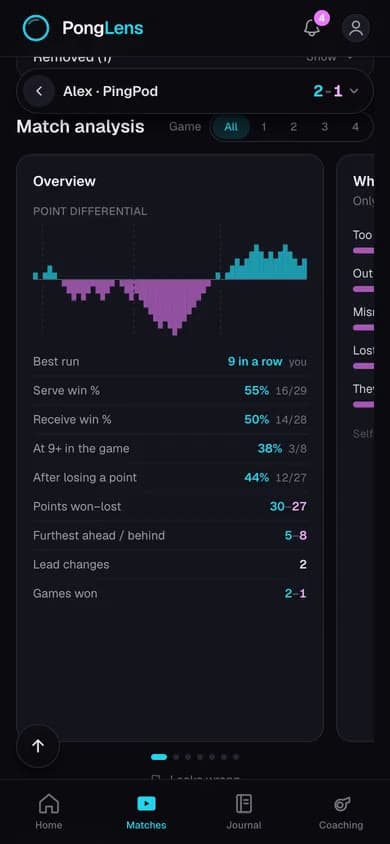
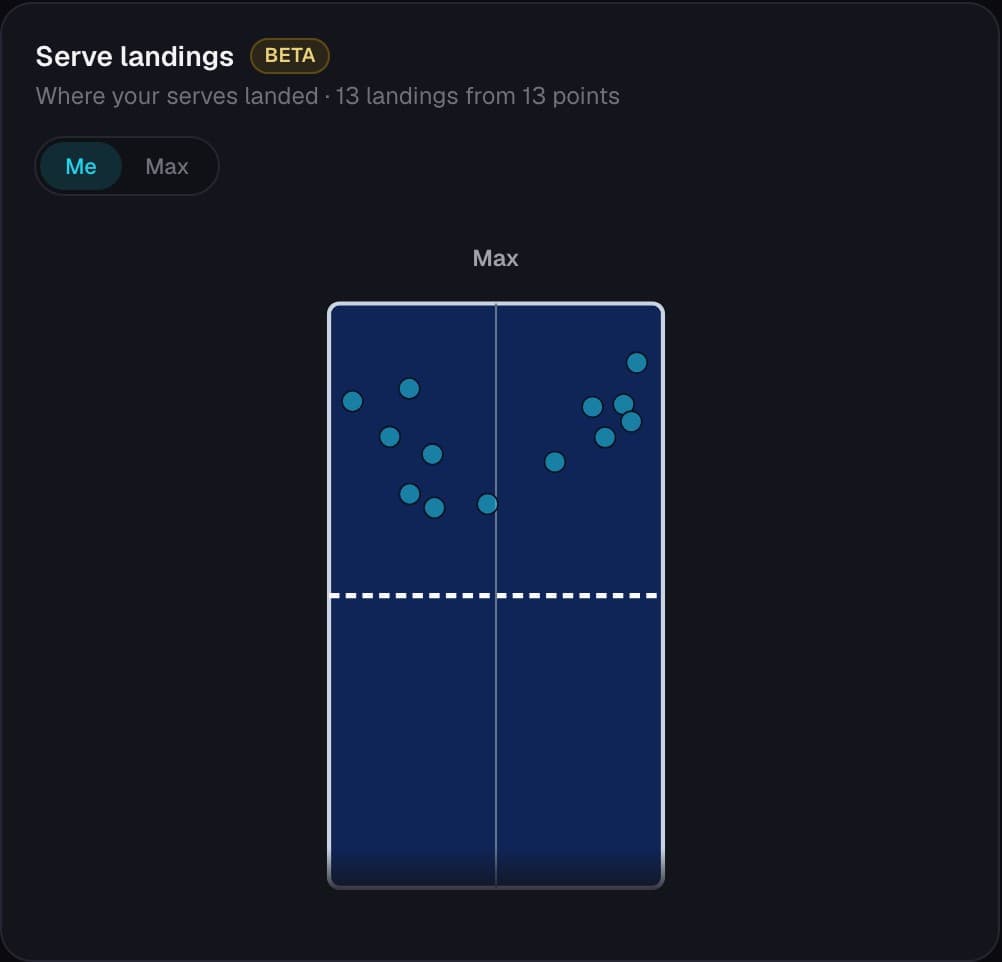
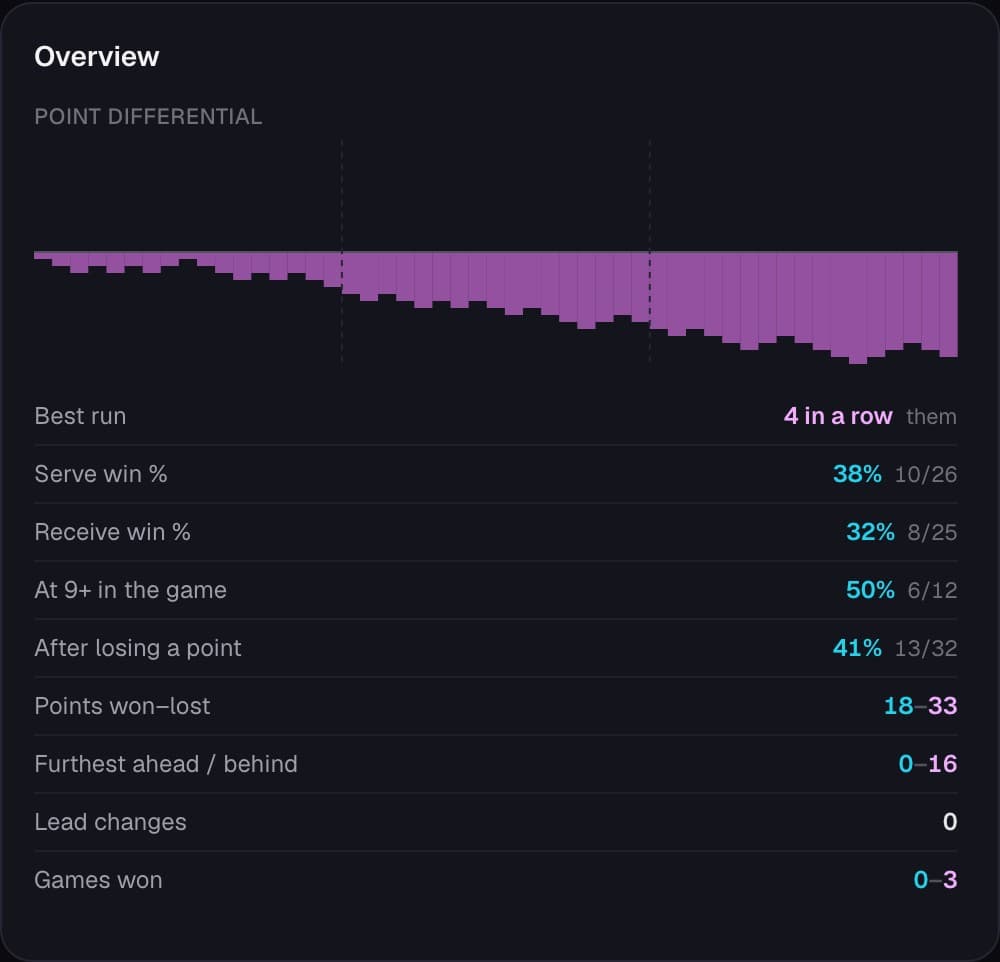
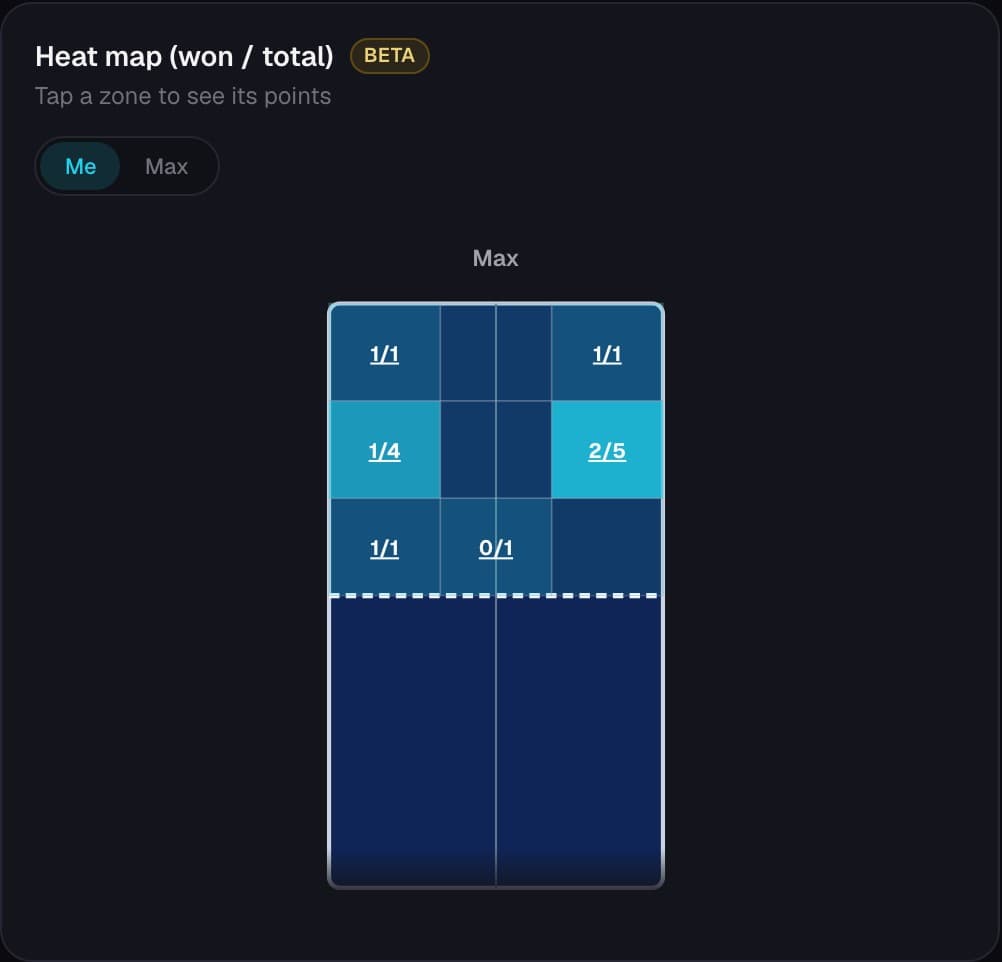
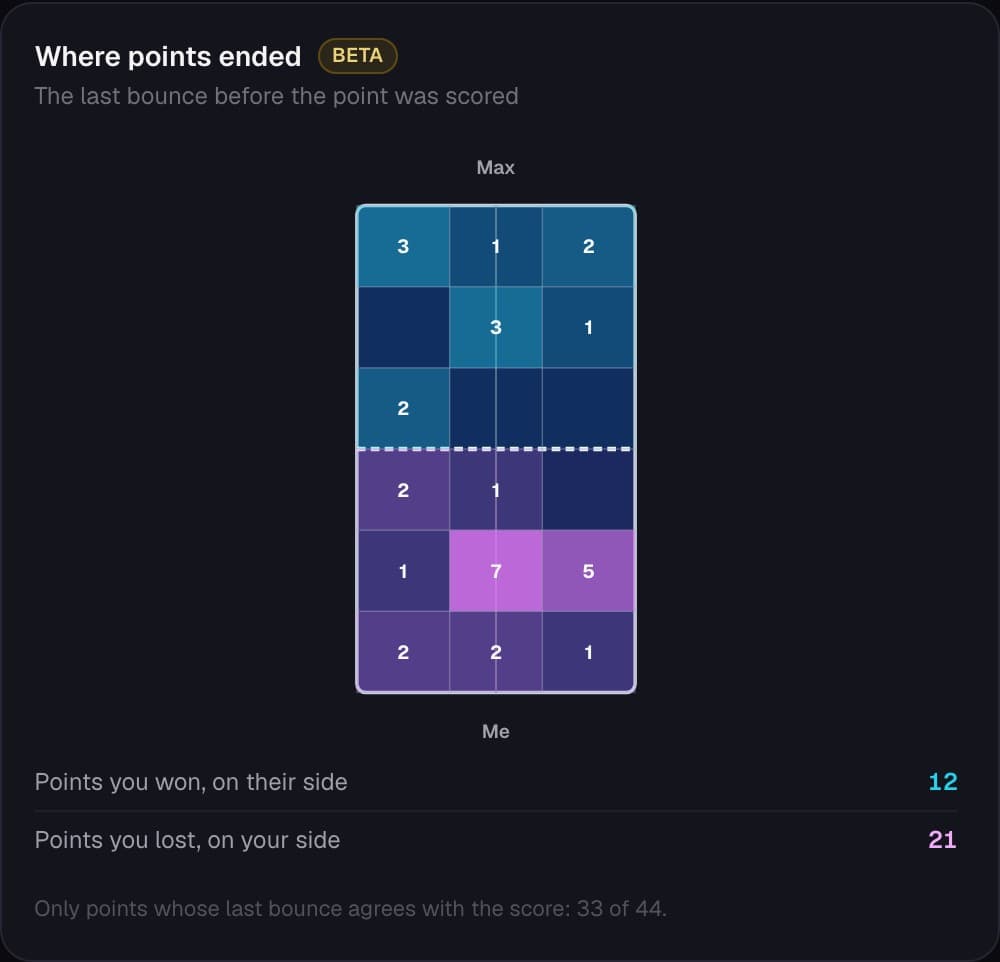
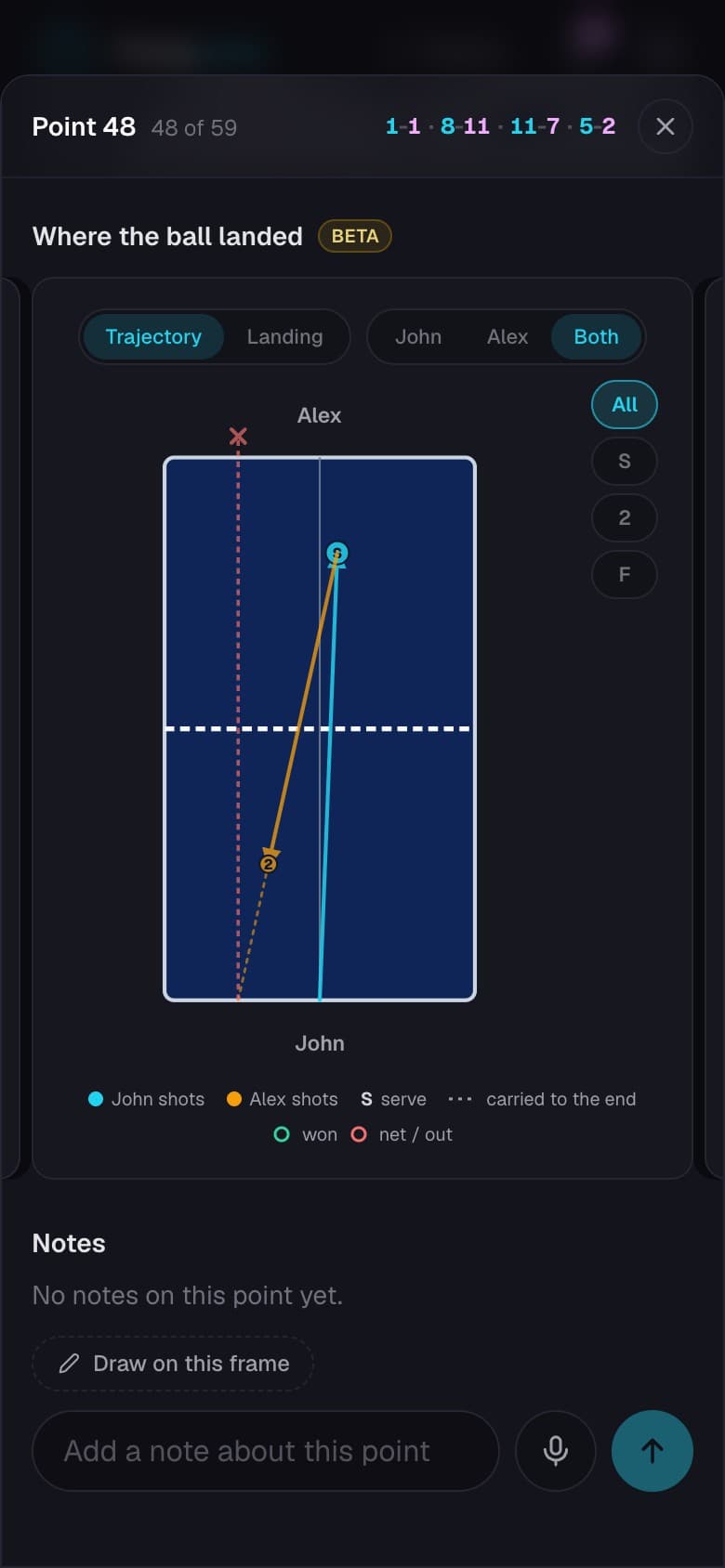
See how you're performing on serve and receive, what happens in important points, and where you and your opponent are placing the ball.
Instead of trying to remember what happened, see the patterns in your game, study your opponents, see what worked, and understand what you should work on next.
And you don't have to figure everything out yourself.
Share a match with your coach and they can comment directly on specific points, draw on the video, or leave you a voice note.
If you don't have a coach, you can also send your match to a PongLens coach for a professional review and get feedback on what they think you should work on.
PongLens keeps your matches, coaching feedback, lesson notes and the things you're working on together, so you can keep track of your progress over time.
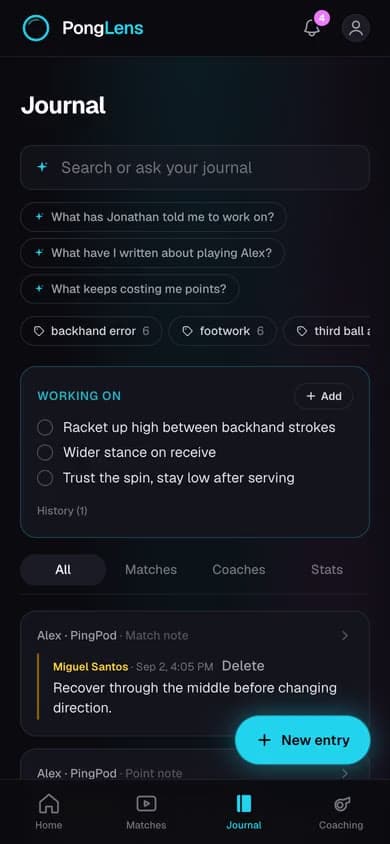
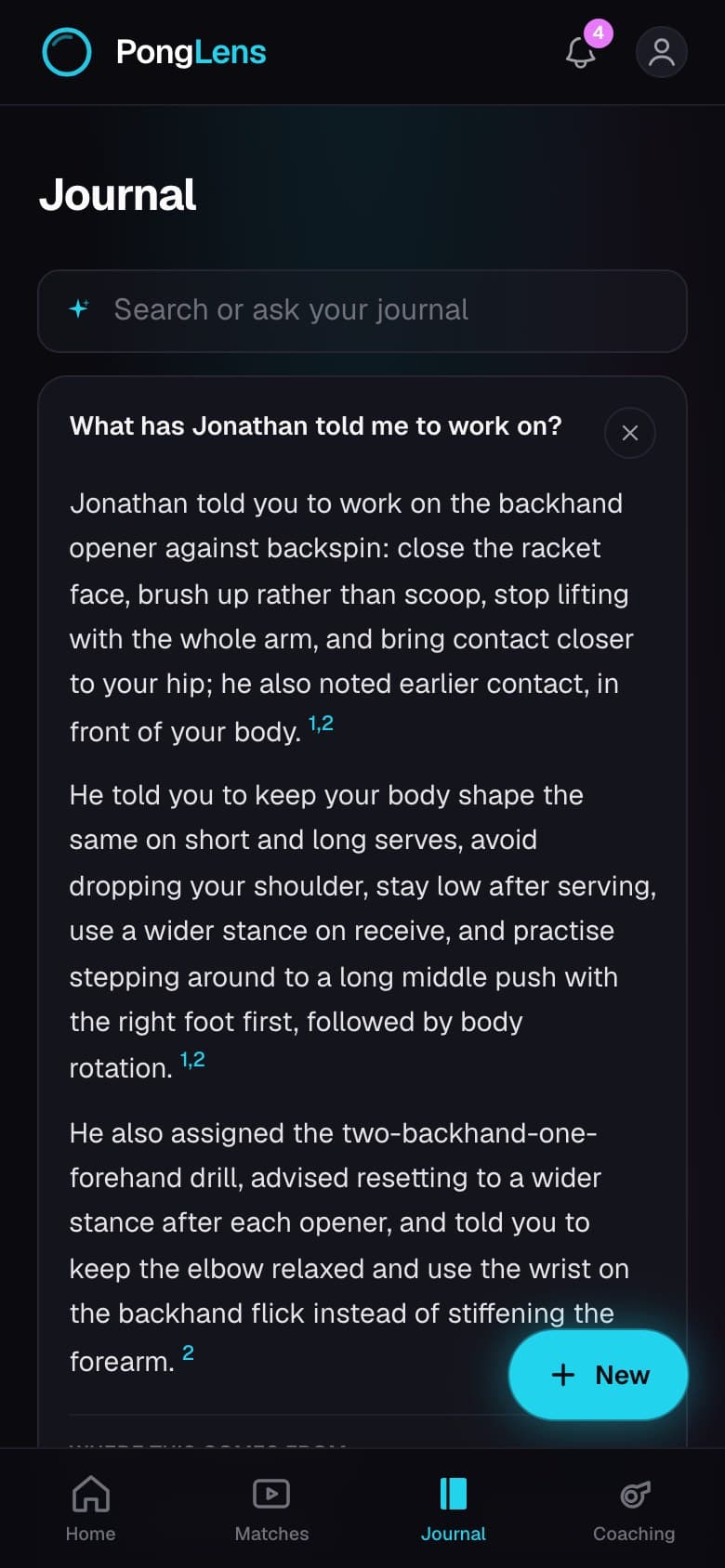
You can also ask your journal a question, and it answers from what you have written.
And when you play a great rally, you can export it, your highlights, or your full match with the score included and share it anywhere.
Your matches can show you a lot about your game. PongLens helps you understand what happened and what to work on next.
PongLens. Record your matches. Learn from them. Get better.
Review your game
Each point becomes its own clip, with the breaks between points removed. Star the rallies that matter and come back to them later, on your own or with your coach.




Score your matches
Tap who won each point as it plays. PongLens keeps the score, your serve and receive win rates, and your record against each opponent.
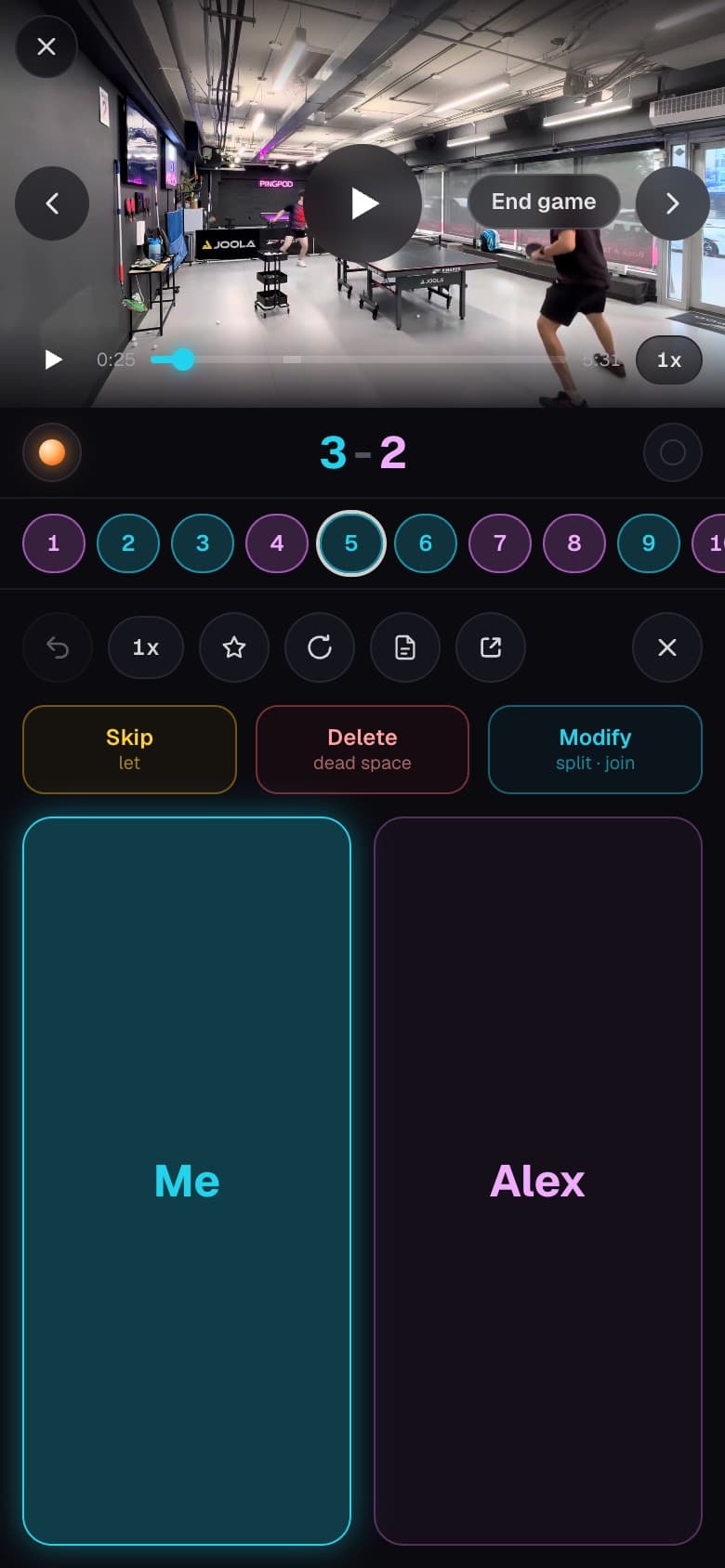
Table tennis video analysis
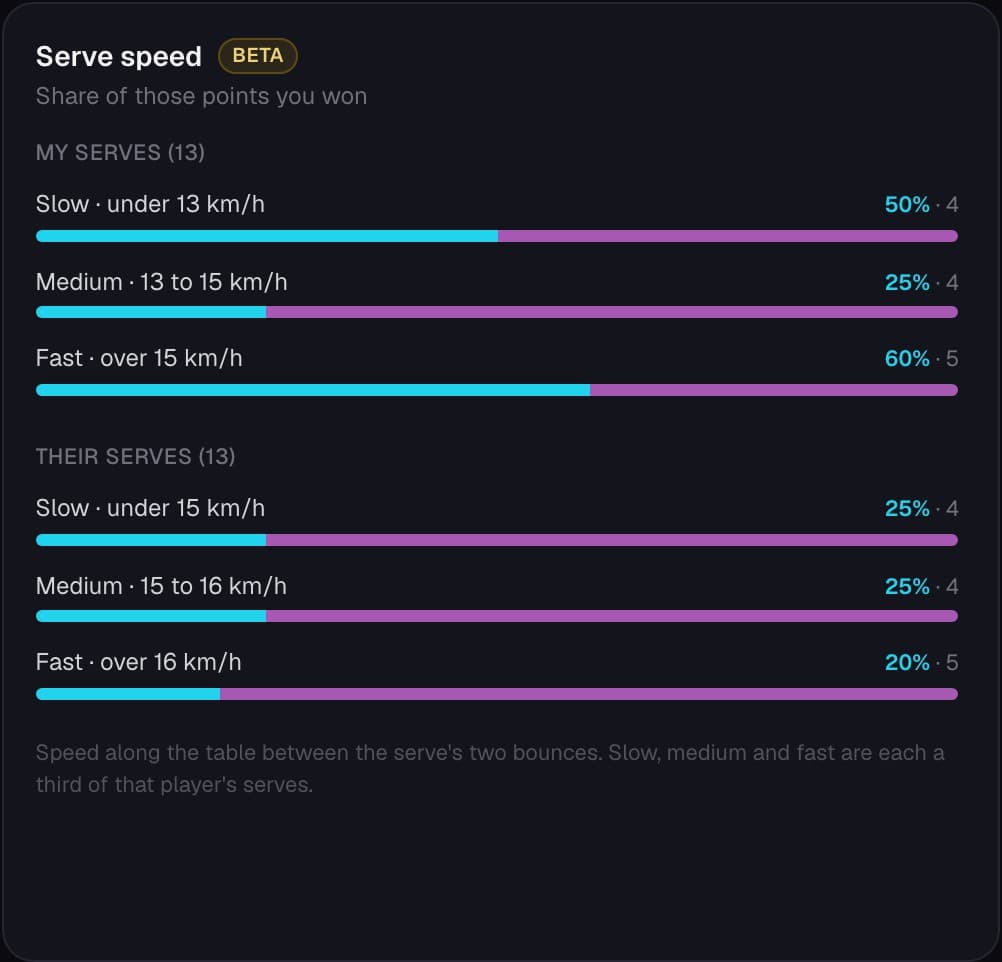
See how you did on serve, on receive and on pressure points. The video adds where each serve landed and how long each rally lasted.
How to analyze a match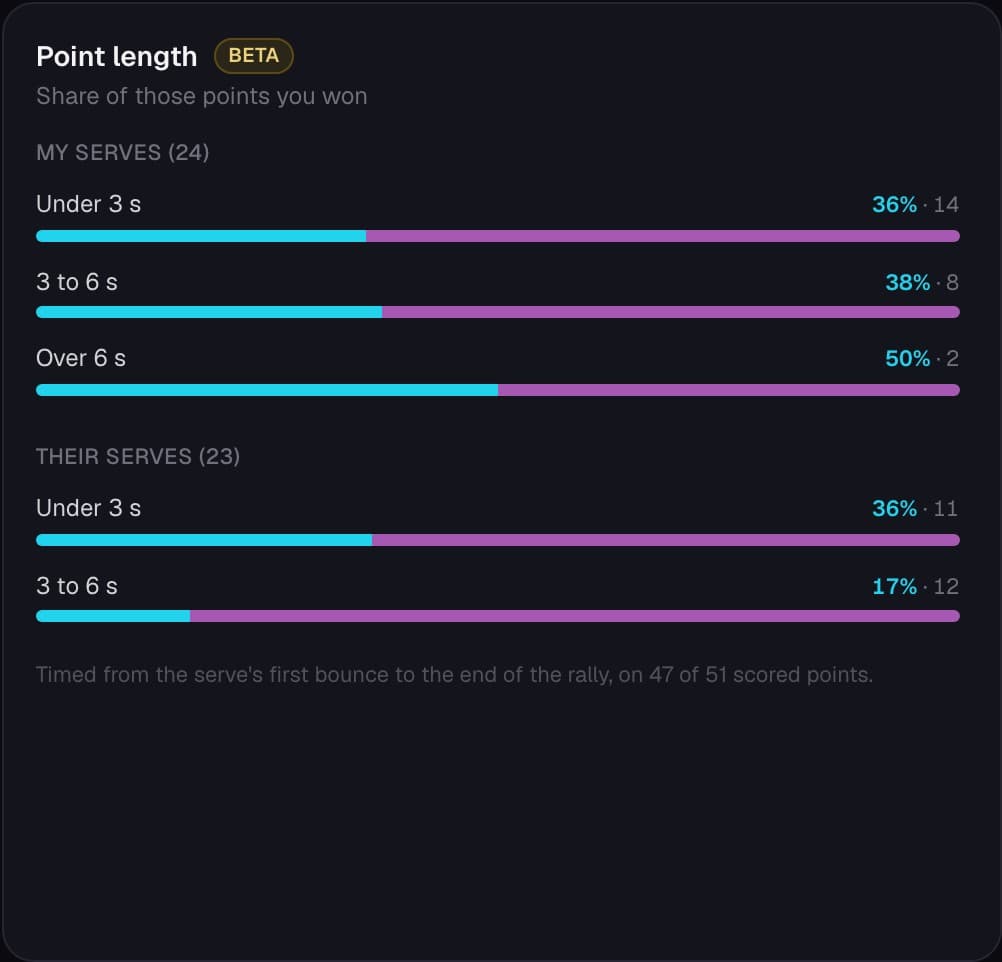
Share your best rallies
Create highlights from your longest rallies or choose your own favorites. Share individual points, download selected rallies or export the match with its score.
Get feedback from your coach
Share a match and your coach can comment on any point with a written note, a voice note or a drawing.
Record your lessons
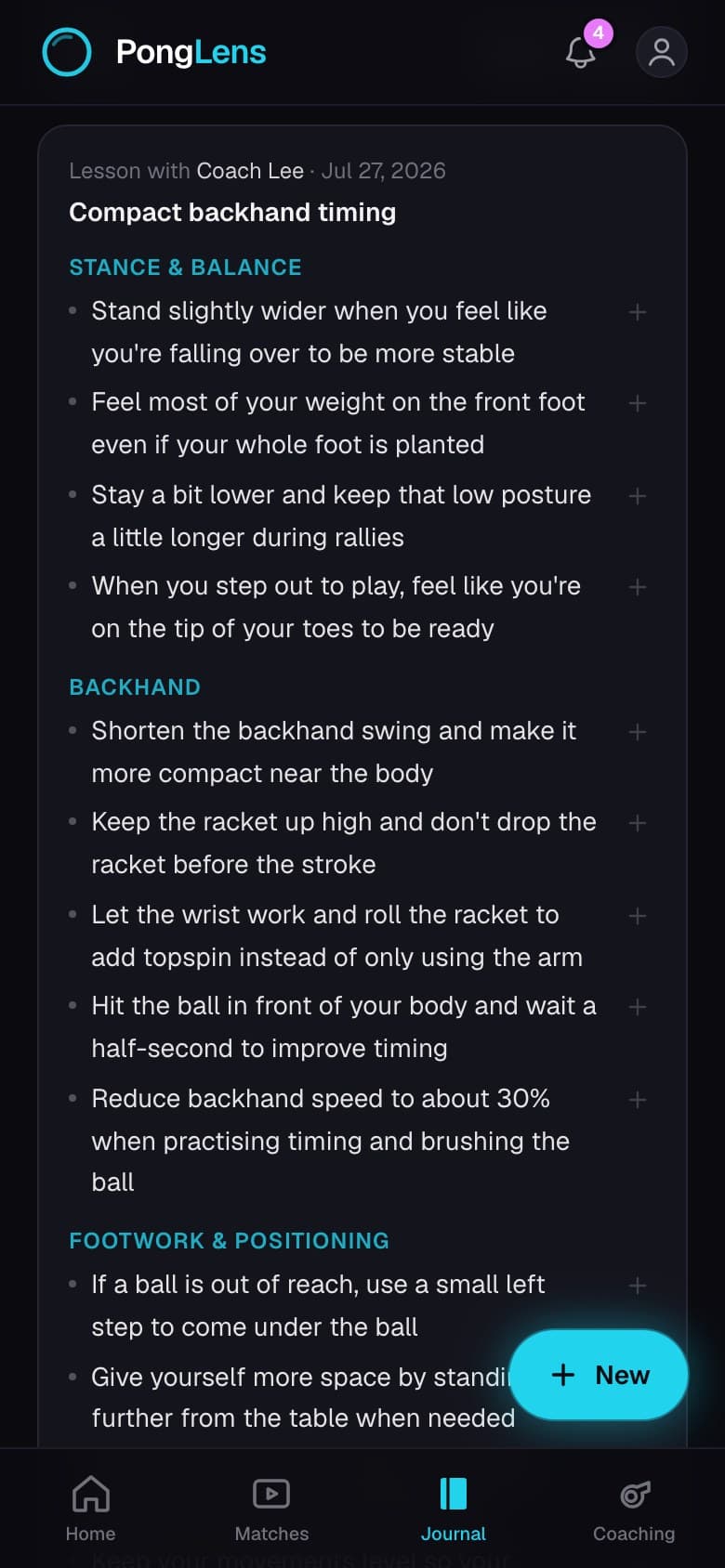
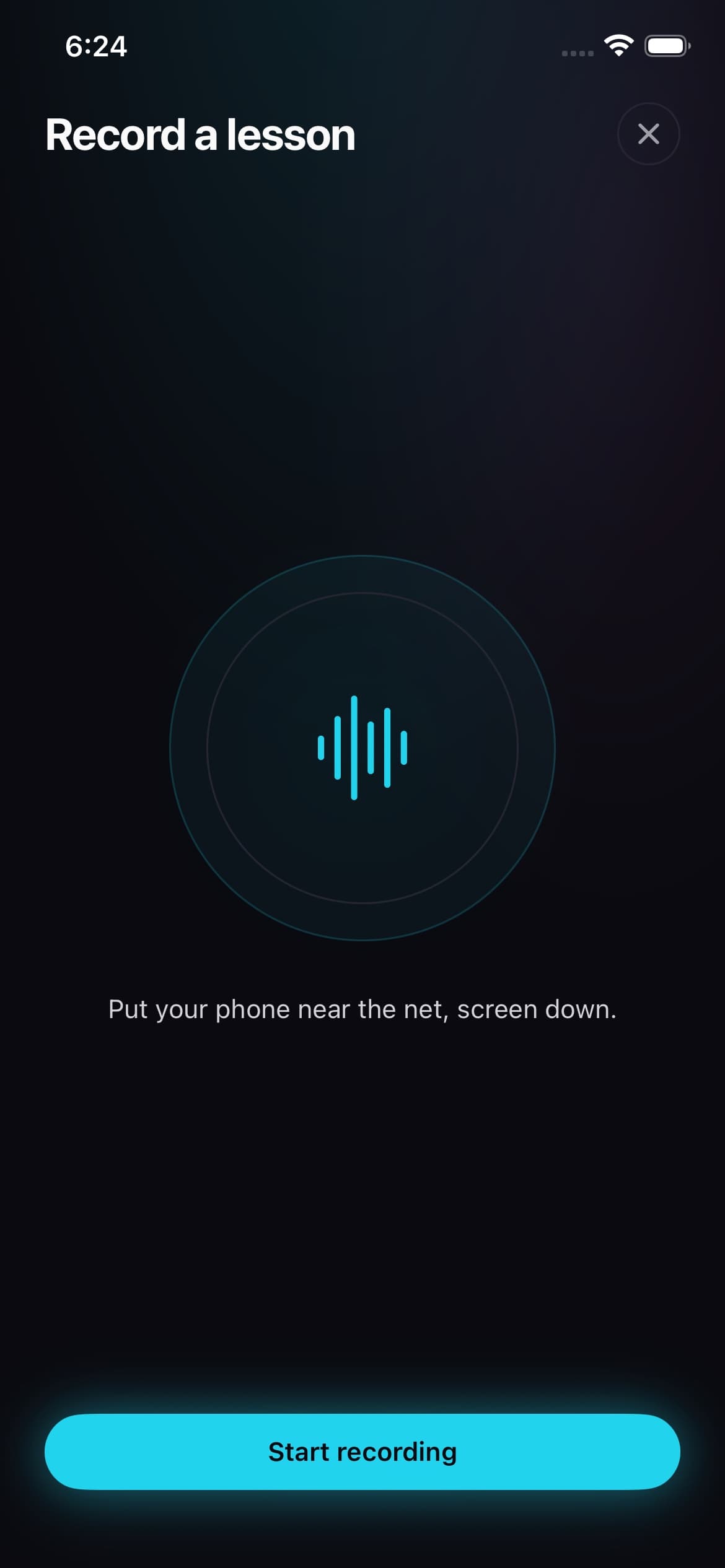
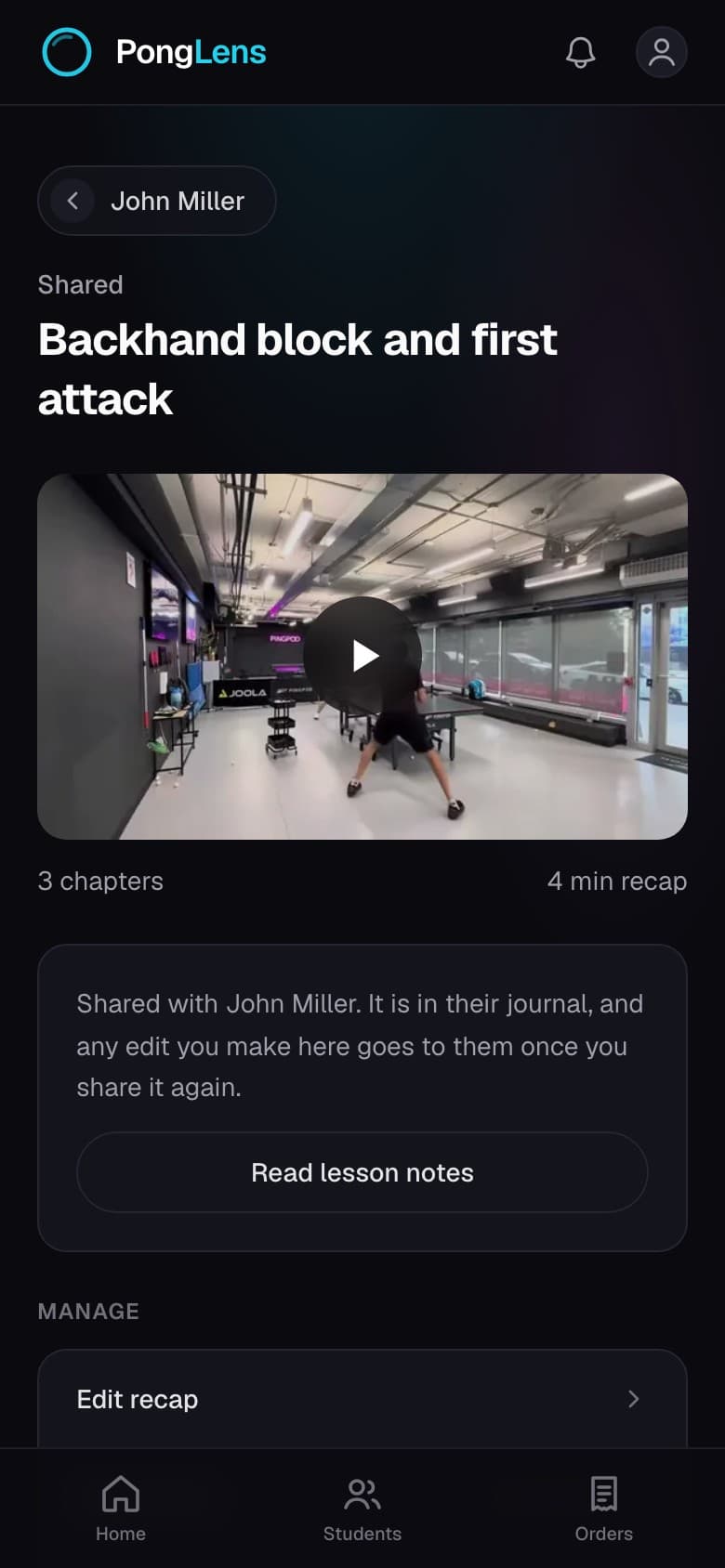
Start a recording on your iPhone when the lesson begins. PongLens saves a transcript and summary to your journal, so you can revisit what your coach taught you before practice.
Video lesson recaps
Turn a lesson recording into a shorter, chaptered recap. Find the explanation or demonstration you need without watching the whole session again.
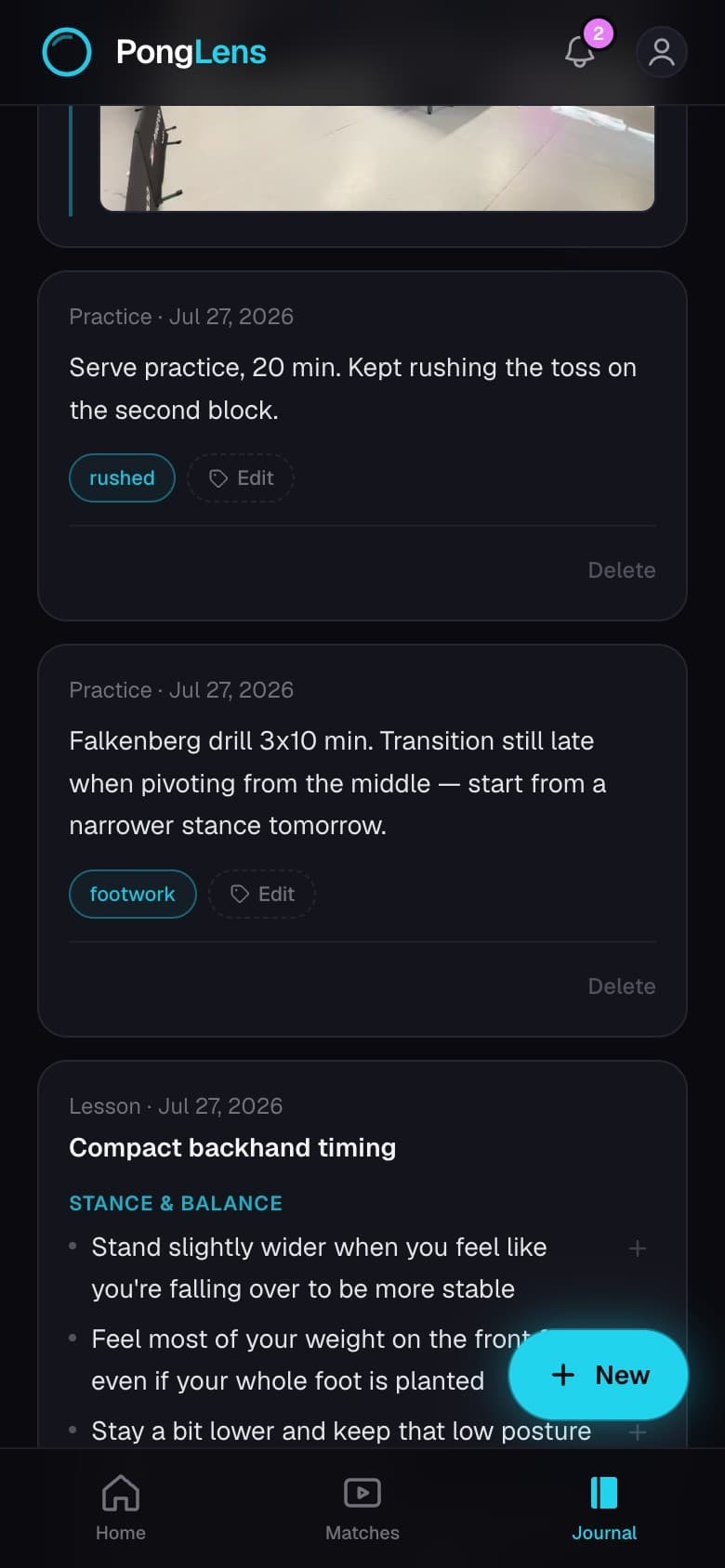
Your training journal
Lessons, match notes and practice notes sit in one journal. Ask it what your coach told you to work on, and keep a short list of what you’re working on for your next session.
PongLens on iPhone
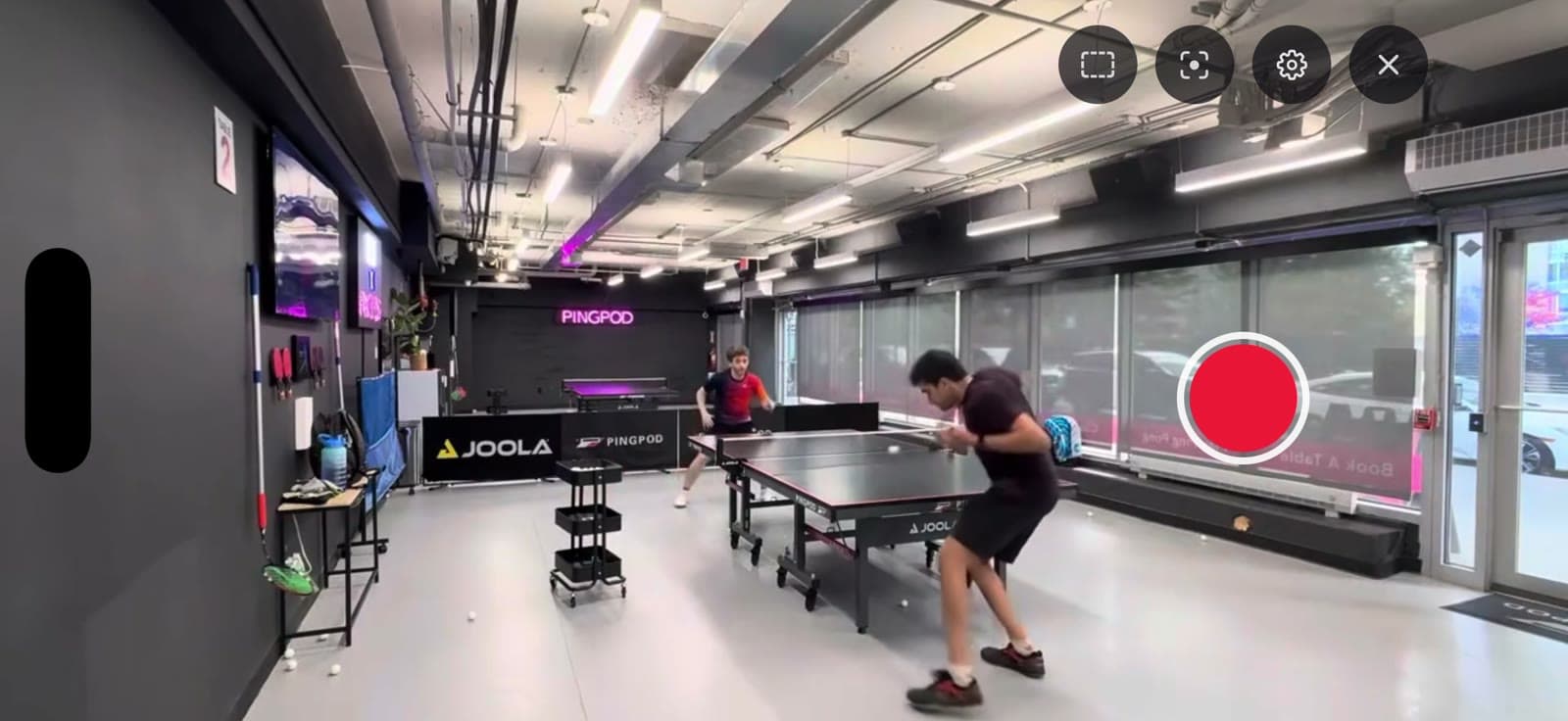
The app shows you where to place your phone before you record a match. Your points, scores and lesson notes are the same on your phone and on the web.
Questions
What does PongLens do?
PongLens combines table tennis video analysis with match statistics, coaching feedback and a training journal. It removes the breaks between points and creates individual rally clips automatically. You tap who won each point to build the score and serve and receive statistics.
What do I need to record a match?
A phone on a tripod, placed diagonally behind you and raised a little, with the whole table in frame. The app shows you where to put it before your first recording.
What do I get for free?
Every account includes 100 free processing minutes and 25 GB of storage. Processing a 30-minute recording uses 30 processing minutes, so the allowance covers about three matches. You can request more minutes or storage for free.
How long does processing take?
Most matches are ready in under an hour, depending on the recording and the queue. The match page shows an estimate, and you get an email when it is ready.
Can my coach use it?
Yes. Share one match with a link or a QR code, or invite your coach to all of them. Coaches get their own pages for students, lesson notes and match feedback, and the same account can be both a player and a coach.
What happens to my videos? Are they private?
Your videos stay private, in storage only your account and the people you share with can reach. Your original upload and cut video stay in your library until you delete the match, and your point clips stay while your account is active. Nothing is sold or shared with advertisers.
What can I upload?
MP4 or MOV recordings of your own matches, up to 45 minutes long, from your phone or camera. Trim a longer recording before processing. PongLens does not support televised or professionally produced matches, because the camera cuts between points.
Is there an app?
PongLens runs in the browser on any phone or computer. The iPhone app is on the App Store, and Android is on the roadmap.
Try it on your next match.
Every account includes 100 free processing minutes and 25 GB of storage, enough for about three matches. You can request more for free.
Upload your first match